


Noodlespin Download App
The Noodlespin app puts games, payments and account settings in one place. It works as a progressive web app (PWA), so installation takes only a few seconds and doesn’t use much storage. The layout looks the same on mobile and desktop, so there’s nothing new to learn when you switch devices.



Benefits of the Mobile Casino
The Noodlespin app gives the same core features as the desktop version but in a format that fits smaller screens. The mobile casino opens straight from your home screen, so there is no need to launch a browser every time. The Noodlespin app is easy to use on touchscreen devices. Open games, check your balance, or place mobile betting wagers with a few taps.
- Open it faster — Launch the Noodlespin app straight from your home screen.
- Easy navigation — Large buttons and swipe gestures make it easier to move between games and account sections.
- No manual updates — The progressive web app stays current without downloading new versions.
- Light on storage — The PWA takes up less space than many regular Android app or iOS app installations.
- The same account on every device — Your balance and recent activity follow you between mobile and desktop.
- All games in one place — The mobile version includes mobile slots and the rest of the casino library.
- Works best with a good connection — Live games need stable internet, and older phones sometimes take longer to load certain titles.
Your account is the same on every device, including your balance and recent activity. Start a game on your computer and pick it up later on your phone. The Noodlespin app runs as a PWA, so updates happen automatically in the background. There is no need to install a new version before your next mobile gambling session.
Noodlespin Mobile App for Android
The Noodlespin app works on Android through a PWA, so there is no need to install a traditional Android app from Google Play. Open the casino website in Chrome, tap the three-dot menu, then choose Add to Home Screen. Once the shortcut appears, the app opens in its own window instead of a browser tab.
Many users search for a Noodlespin APK or an APK file, but the casino does not require either option. The Noodlespin app updates automatically in the background, so you always open the latest version. The same account gives access to mobile slots, mobile betting, bonuses, and payment options on your Android device.
| Feature | Details |
| Installation | Add the PWA to your Home Screen through Chrome |
| Google Play | Not required |
| APK File | Not available or needed |
| Updates | Installed automatically in the background |
| Login | Use your existing Noodlespin account |
| Available Features | Mobile slots, mobile betting, bonuses, and banking |
| Android Compatibility | Works on most modern Android smartphones and tablets |
After adding the shortcut, you can launch the Noodlespin app directly from your home screen without opening your browser first. The PWA uses little storage space and keeps the latest version ready automatically. As long as you have an internet connection, you can access your account, claim bonuses, make deposits, and enjoy the full mobile casino experience from your Android device.
Noodlespin PWA
The Noodlespin app works as a progressive web app, so there is no need to install a traditional application. In Chrome, open the casino website, click the install icon in the address bar, or choose Add to Home Screen from the browser menu. After that, the PWA opens from its own shortcut on your device, just like a regular app. Updates happen automatically, so there is nothing to download before your next session.
Mobile Application for iOS
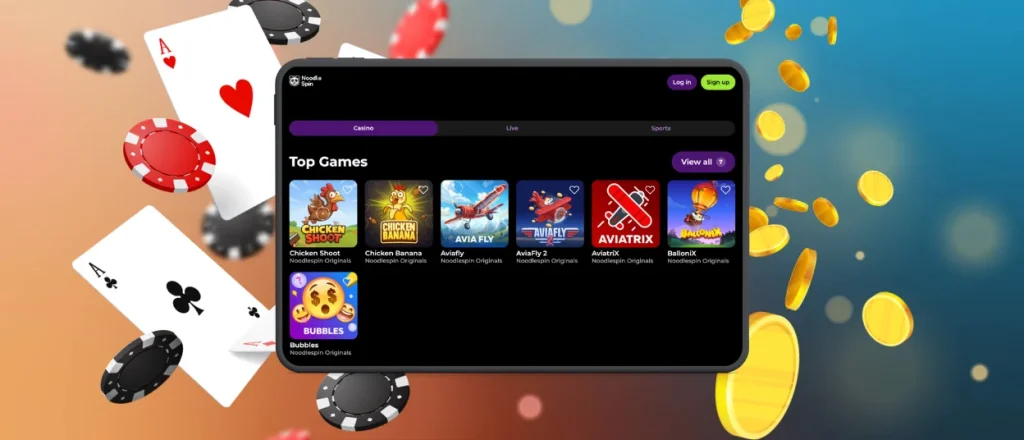
The Noodle Spin app is available on iPhone and iPad through Safari. Open the casino website, tap the Share button, then select Add to Home Screen. The shortcut appears on your home screen and opens the mobile casino without launching a separate browser tab. It gives access to mobile slots, mobile betting, payments, bonuses and account settings through the same profile you use on other devices.
Mobile Gaming Security
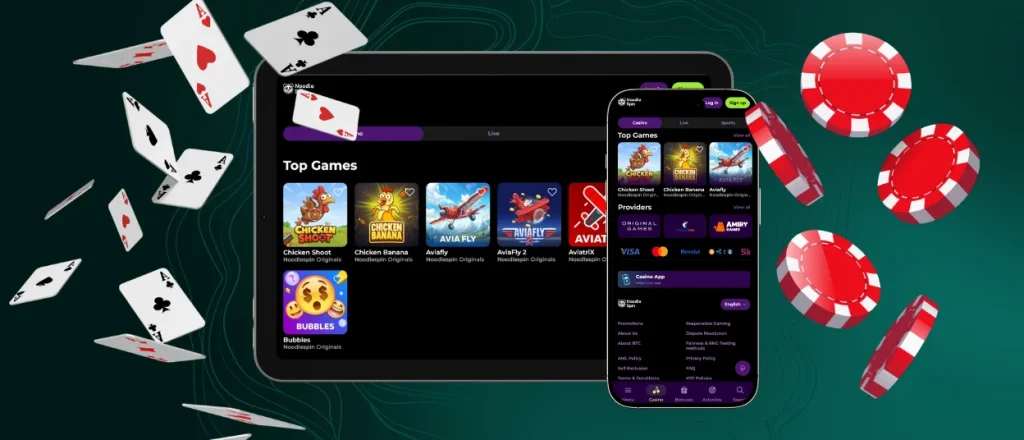
The Noodlespin app runs as a PWA, which adds an extra layer of protection compared to downloading software from unknown sources. The Noodlespin app works without an APK file, so users do not need to install software from unknown sources. That lowers the chance of downloading modified or harmful files.
Because Noodlespin operates in your browser, it has restricted device access and can’t view your photos, contacts, or private data. All logins and transactions are encrypted with HTTPS, and updates install automatically in the background.
Noodlespin Desktop Browser Experience
The Noodle Spin app and the desktop version use the same account, so your balance and game history stay the same on every device. Open the casino in Chrome, Edge, or another supported browser to access all games without installing extra software.
A lot of players prefer sticking to a desktop or laptop when settling in for a longer session. Having that extra screen real estate makes a big difference—live dealer streams look clearer, and your stats and account info stay right in front of you. It also gives you enough space to explore the lobby, compare different games side by side or adjust your profile settings without feeling cramped.

FAQ
Do casino apps update with new games often?
Fresh slots and casino games drop on Noodlespin Casino App constantly. Since it’s a web-based PWA, there are zero manual downloads—just launch the app, and you’re immediately on the latest version.
Are bonuses and tournaments available on mobile?
Everything available on desktop works on mobile too. You can claim active promos, track bonus play-throughs, and compete in tournaments straight from your phone using your existing account.
What should I do if the app stops working?
First, check your internet connection, then try closing and reopening the app. If problems persist, clear your browser cache and update your browser (Chrome, Safari, etc.). If it’s still down, drop a message to customer support.
Does Noodlespin App sync across devices?
You can use the exact same account on any device. Switch between your phone and desktop anytime—your cash balance and settings carry over automatically.


